Formulas
Wafflebase supports 440+ functions — the same ones you know from Google Sheets. This page covers the essentials. For a hands-on tutorial, see Build a Budget Spreadsheet.
How Formulas Work
Type = in any cell to start a formula:
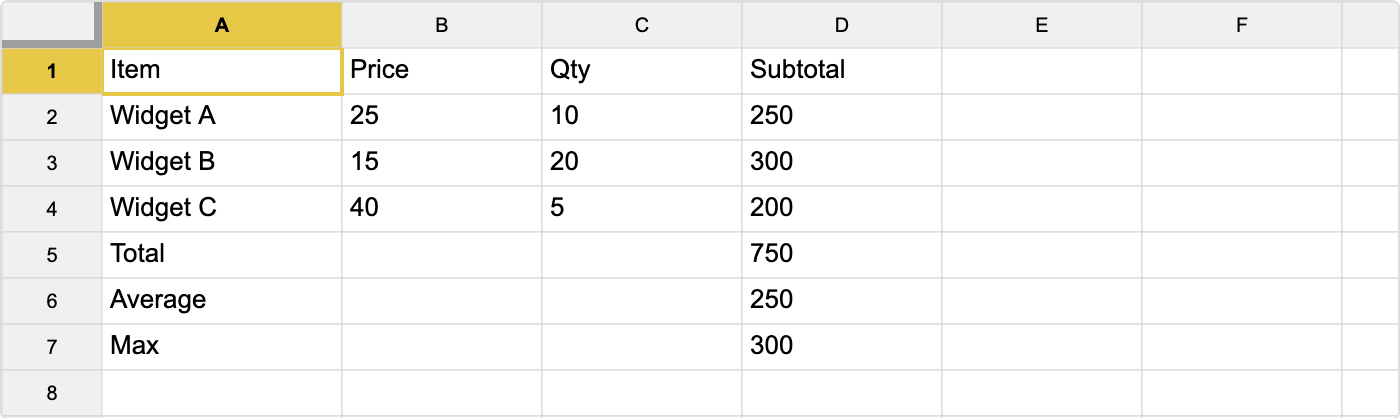
=SUM(A1:A10)A formula can reference other cells, use operators, and call functions. The result is calculated automatically and updates whenever the referenced cells change.
Cell References
| Type | Example | Meaning |
|---|---|---|
| Single cell | A1 | The value in column A, row 1 |
| Range | A1:C10 | All cells from A1 to C10 |
| Cross-sheet | Sheet2!A1 | Cell A1 in another tab |
Operators
| Operator | Example | Result |
|---|---|---|
+ - * / | =A1 * 1.1 | Arithmetic |
> < = <> | =A1 > 100 | TRUE or FALSE |
& | =A1 & " " & B1 | Joins text |
Most Used Functions
Totals and Averages
| Function | What It Does | Example |
|---|---|---|
SUM | Add up values | =SUM(B2:B10) |
AVERAGE | Mean of values | =AVERAGE(B2:B10) |
COUNT | Count numbers | =COUNT(B2:B10) |
COUNTA | Count non-empty cells | =COUNTA(A:A) |
MIN / MAX | Smallest / largest | =MAX(B2:B10) |
Conditional
| Function | What It Does | Example |
|---|---|---|
IF | Choose between two values | =IF(A1>0, "Profit", "Loss") |
IFERROR | Fallback if formula errors | =IFERROR(A1/B1, 0) |
SUMIF | Sum where condition matches | =SUMIF(A:A, "Sales", B:B) |
COUNTIF | Count where condition matches | =COUNTIF(A:A, ">100") |
IFS | Multiple conditions | =IFS(A1>=90,"A", A1>=80,"B", TRUE,"C") |
Text
| Function | What It Does | Example |
|---|---|---|
CONCATENATE | Join strings | =CONCATENATE(A1, " ", B1) |
LEFT / RIGHT | Extract characters | =LEFT(A1, 3) |
TRIM | Remove extra spaces | =TRIM(A1) |
UPPER / LOWER | Change case | =UPPER(A1) |
SUBSTITUTE | Replace text | =SUBSTITUTE(A1, "old", "new") |
Lookup
| Function | What It Does | Example |
|---|---|---|
VLOOKUP | Find a value in a table | =VLOOKUP("Alice", A:C, 3, FALSE) |
XLOOKUP | Flexible lookup (recommended) | =XLOOKUP(A1, D:D, E:E) |
INDEX + MATCH | Look up by position | =INDEX(B:B, MATCH("Alice", A:A, 0)) |
Date
| Function | What It Does | Example |
|---|---|---|
TODAY | Current date | =TODAY() |
DAYS | Days between two dates | =DAYS(B1, A1) |
YEAR / MONTH / DAY | Extract date parts | =YEAR(A1) |
EDATE | Add months to a date | =EDATE(A1, 3) |
All Supported Categories
| Category | Functions |
|---|---|
| Statistical | 116 |
| Math | 84 |
| Engineering | 50 |
| Financial | 49 |
| Text | 45 |
| Lookup | 31 |
| Date & Time | 25 |
| Info | 21 |
| Operator | 17 |
| Database | 12 |
| Logical | 12 |
That is 462 in all. The Operator row is the named form of things you'd normally type as a symbol — ADD, DIVIDE, GT, EQ, and so on — plus CONCAT, UNIQUE, and ISBETWEEN; the "440+" above counts the other ten categories. Most common functions are fully supported.